
The Hidden Field allows you to pass data behind the scenes without displaying it to users. It's ideal for storing internal values like tracking IDs, user roles, campaign sources, or default metadata submitted with the form. This field remains invisible on the frontend but sends the stored data along with the form submission.
How to Add the Hidden Field #
- Go to your WordPress Dashboard and navigate to:
HT Contact Form > Forms. - Open an existing form or create a new one.
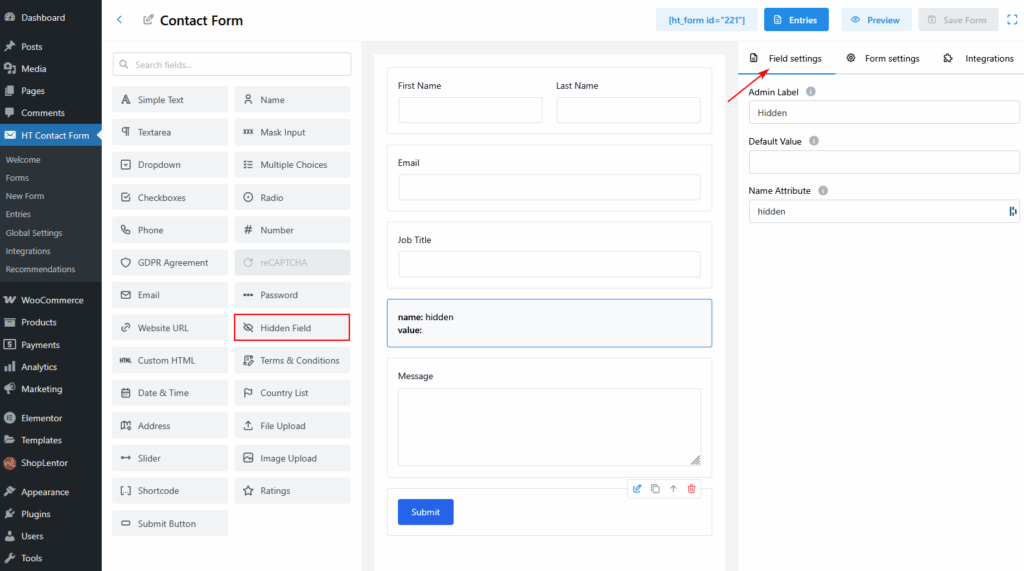
- From the Fields panel on the left, drag and drop the Hidden Field into your form layout.
- Click on the field to open its Field Settings tab on the right.
Available Settings #
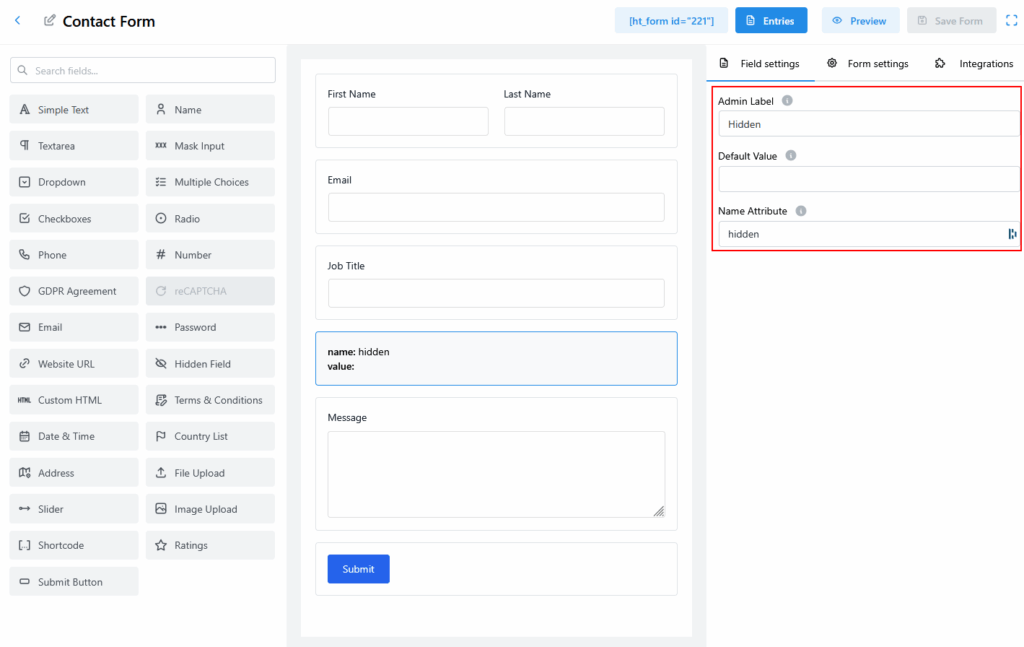
- Admin Label
Internal name used for identifying the field in the admin panel.
Example: Hidden - Default Value
Predefined value that will be submitted with the form.
Example: “walker” - Name Attribute
Backend name of the field. This is how the value is referenced when the form is processed.
Example: hidden
Example Use Case #
You can use the Hidden Field to:
- Capture the source of form traffic (e.g., “Google Ads”)
- Store default roles like “subscriber” or “new_lead”
- Pass dynamic data from URL parameters via JavaScript


 OFF every WordPress plugin!