
If you ever need to add any repeatable fields to your contact form, the “Repeater Field” extension is the way to go.
Enable The Repeater Field Extensions #
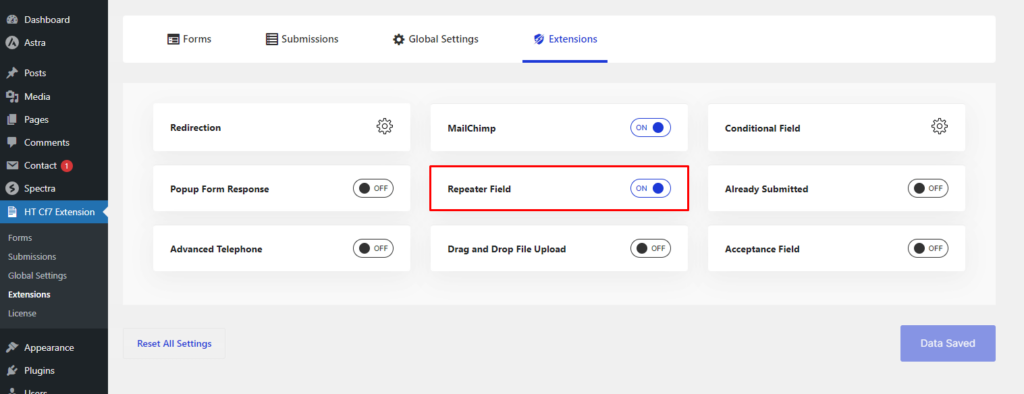
To enable the “Repeater Field” extension, go to “HT CF7 Menu” from your WordPress dashboard and open the “Extensions” tab. Then turn on the switcher option for the “Repeater Field” extension and save the settings.
Configure the Repeater Field #
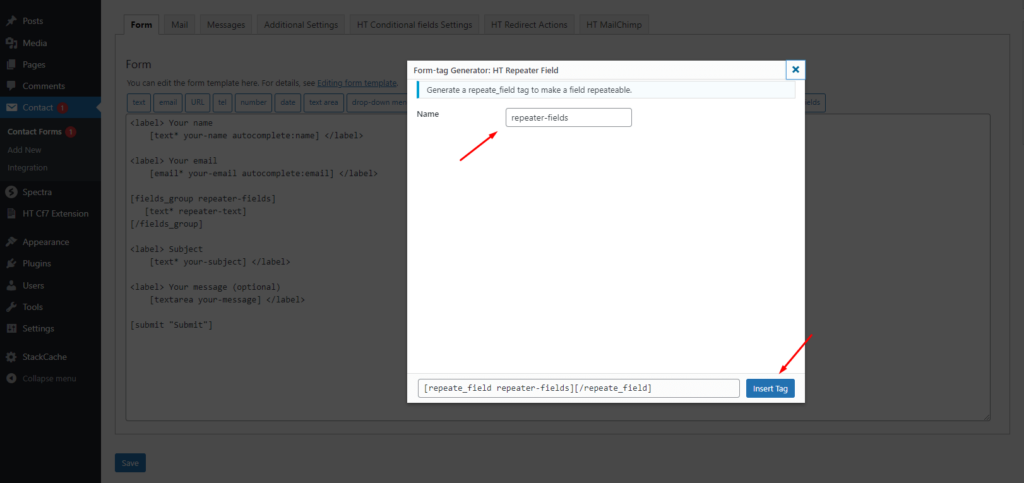
Like other extensions, enabling the “Repeater Field” extension will add a new tag named “HT Repeater Field” on the form edit screen. You can see the tag when you try to edit an existing form or create a new one. If you click the tag, a popup will appear prompting you to configure the field by setting up a name of it.
After entering a name, click the “Insert Tag” button to add the repeatable field to your form.
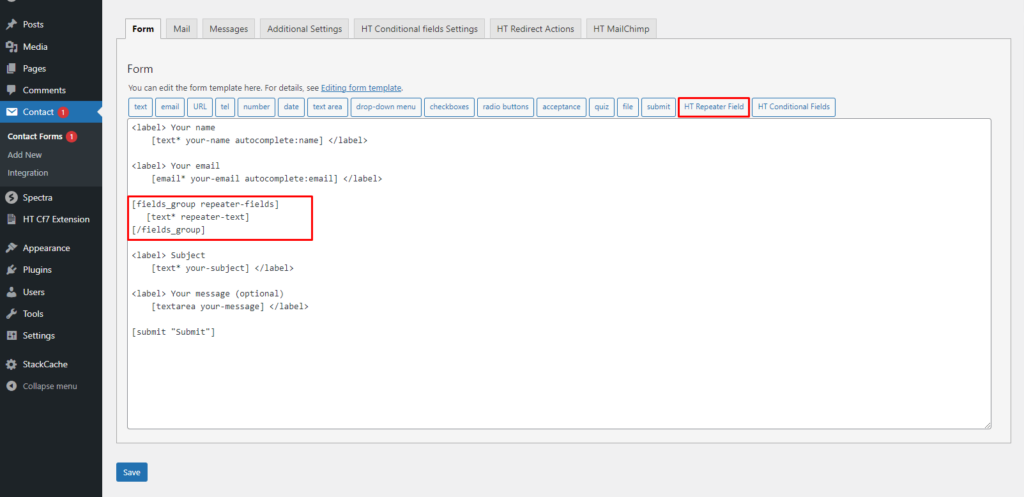
Now to make a field repeatable, here is what you need to do:
Choose a field you want to make repeatable and place its corresponding code within the repeater field tag.
After completing the setup of the Repeater Field Extension #
After the repeater field extension added on the form then you can see the repeater field on the form. Users can insert the value as they wish. They can give one and more than two if they want.
After you have added a repeater field to your form, it will show a field like the “Additional Information” you see in the screenshot above. Users can click the “Add” button to repeat the same field and add as many values as they need.


 OFF every WordPress plugin!