
Global Settings of the Submission Details #
Global Settings are settings that are applied across your entire website. With Extensions for CF7, you can configure a few global settings to view additional information about the submitter (i.e. a person submitting the form).
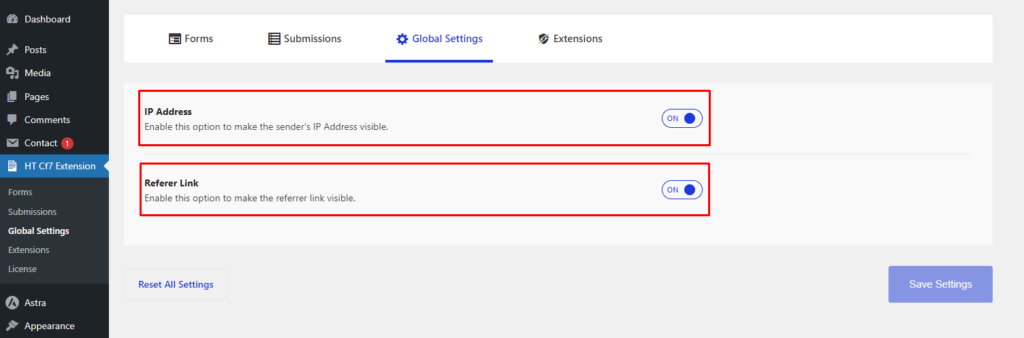
- Referer Link: When the “Referer Link” option is enabled in the “Global Settings“, it will show the referer link of a submitter in the submission details.
- IP Address: When the “IP Address” option is turned on in the “Global Settings“, it will display the submitter's IP address in the submission details.
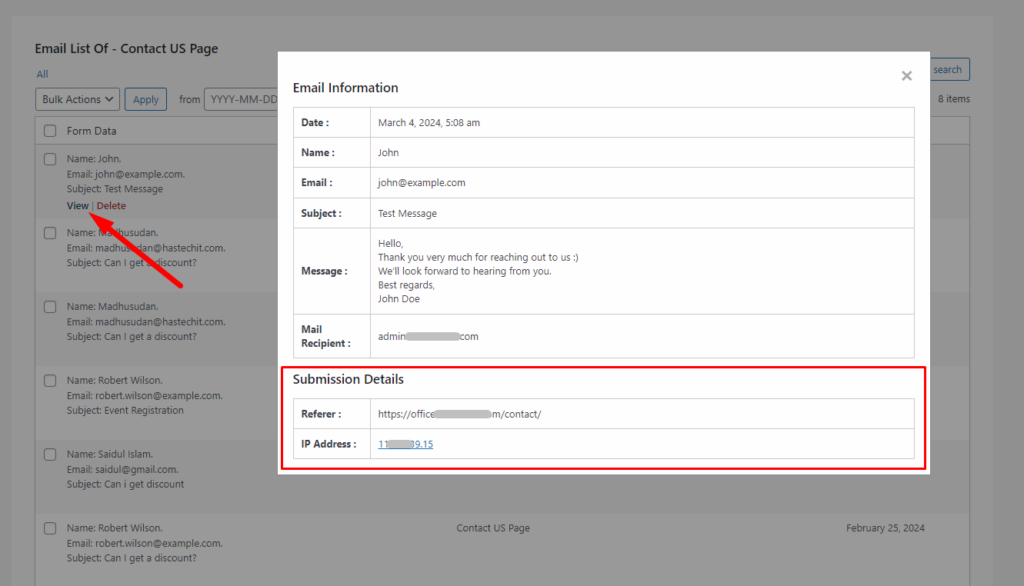
To view the submission details, go to “Submissions” first. Afterward, hover over the form name whose submission details you want to see.
After hovering over a form, you will notice 2 buttons appearing, named “View” and “Delete“. Simply click “View“, and a modal will appear displaying all the submission details, including the Referer link and IP address.


 OFF every WordPress plugin!