
The updated WP Plugin Manager plugin interface allows you to disable plugins based on the type of device used to access your site. This helps optimize performance and user experience across platforms.
Steps to Disable Plugin by Device: #
- Go to the Manage Plugins section and click the settings icon (⚙️) beside the plugin you wish to configure.
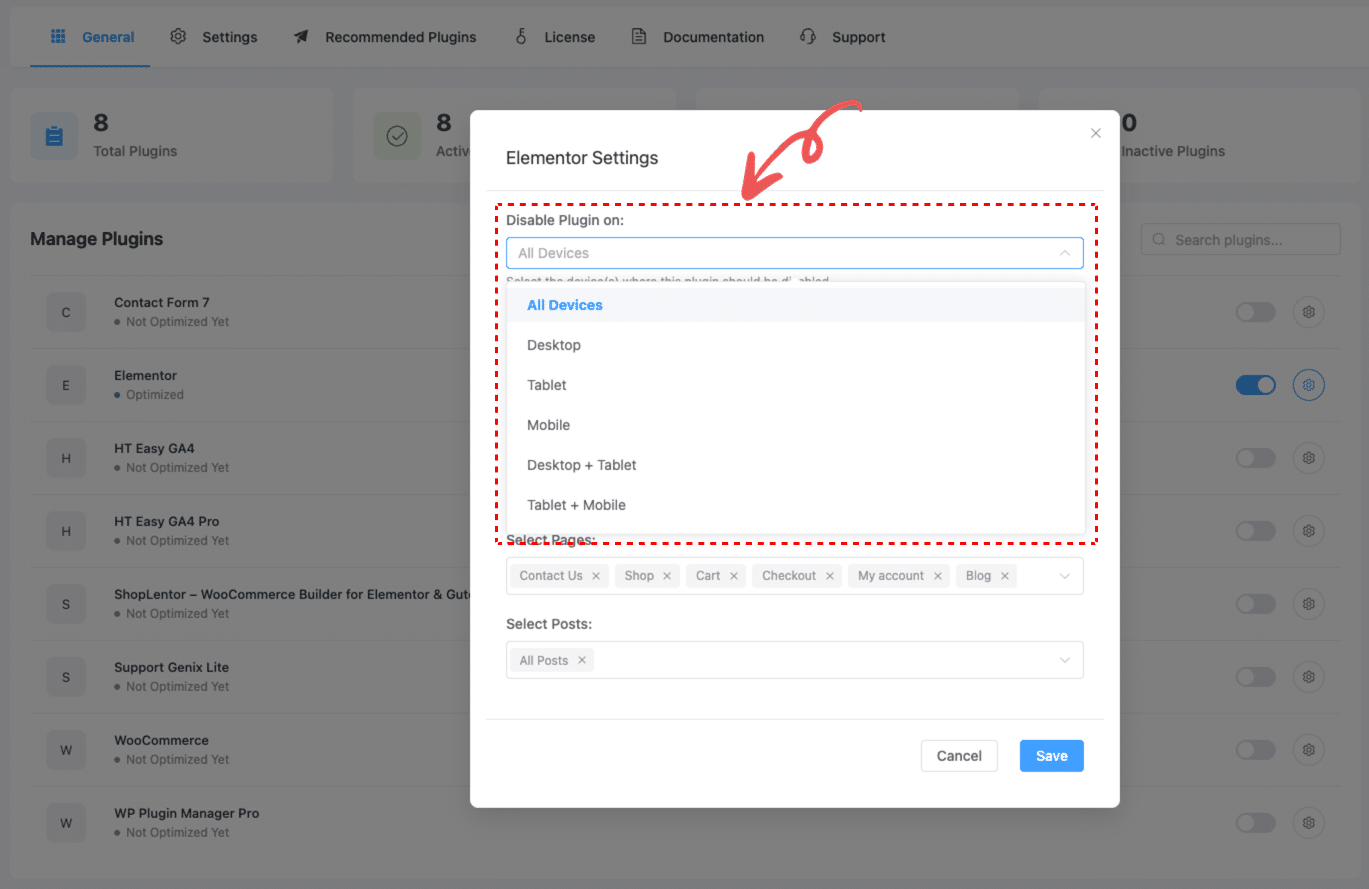
- In the plugin settings modal, locate the “Disable Plugin on” dropdown at the top.
- Choose the device(s) where the plugin should be disabled. Available options include:
- All Devices
- Desktop
- Tablet
- Mobile
- Desktop + Tablet
- Tablet + Mobile
- After selecting the device(s), continue to configure other options (e.g., specific pages, posts, or post types).
- Click Save to apply your settings.
🔧 This allows for flexible control—disable unnecessary plugins only on mobile or tablet while keeping them active on desktop, or vice versa.


 OFF every WordPress plugin!