
Custom page view events allow you to track specific user interactions beyond standard GA4 page view tracking. With HT Easy GA4, you can monitor engagement with premium content, product categories, campaign landing pages, or any specific sections of your website for deeper analytics insights.
Step-by-Step Setup #
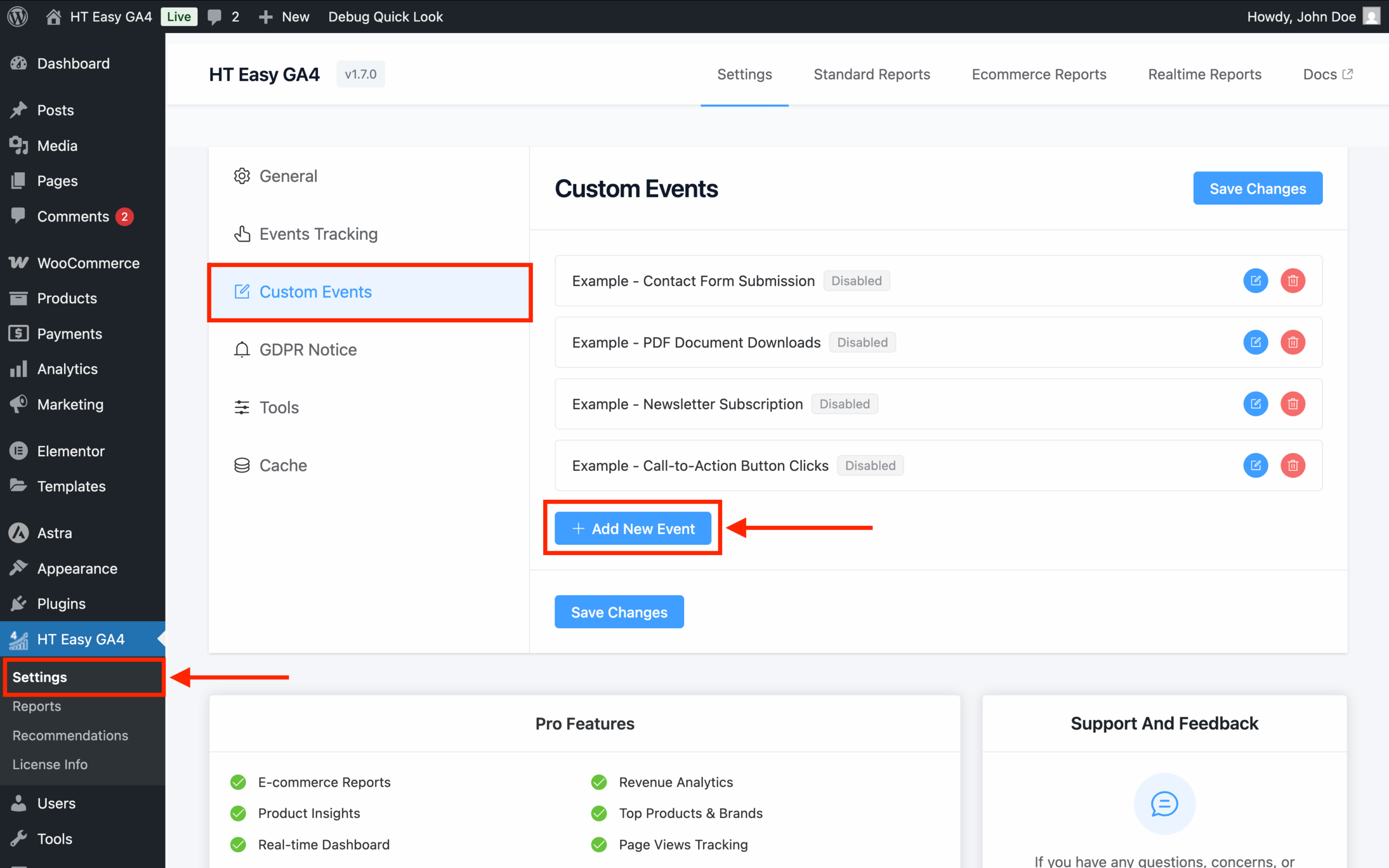
1. Access Custom Events #
- Go to WordPress Dashboard → HT Easy GA4 → Custom Events
- Click “Add New Event”
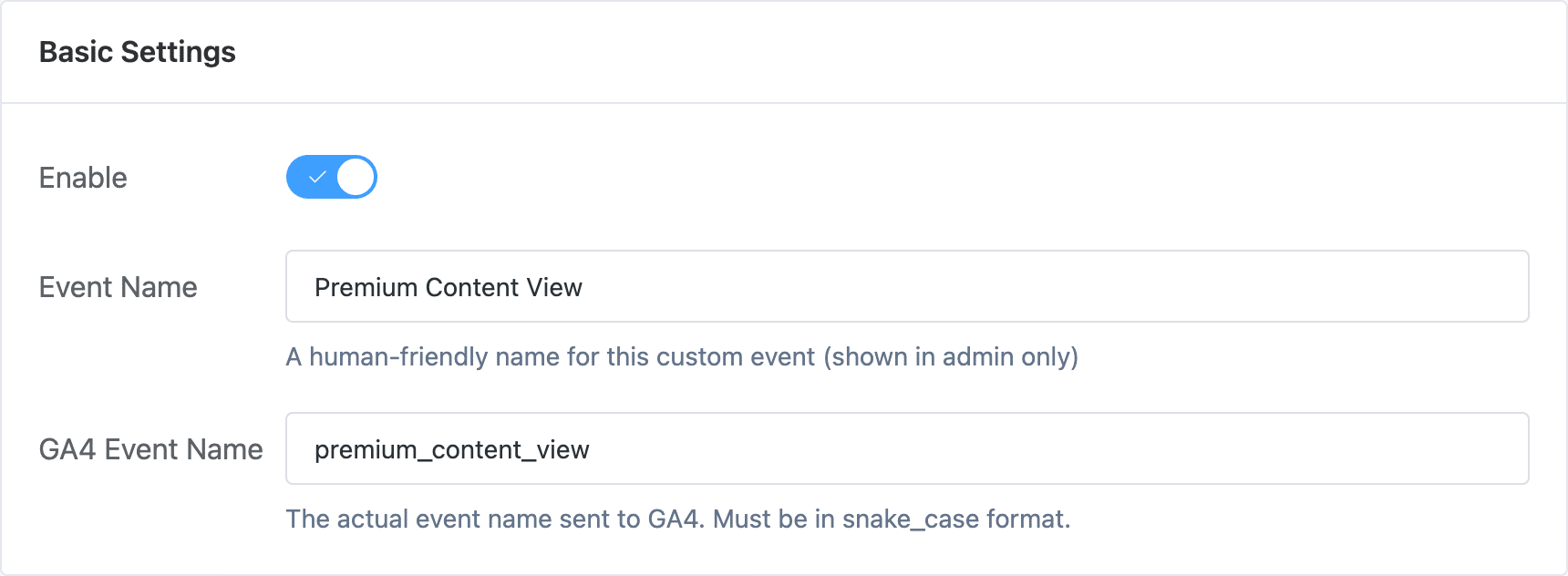
2. Basic Settings #
- Enable: Turn on the toggle
- Event Name: Descriptive name (e.g., “Premium Content View”)
- GA4 Event Name: Use snake_case format (e.g.,
premium_content_view)
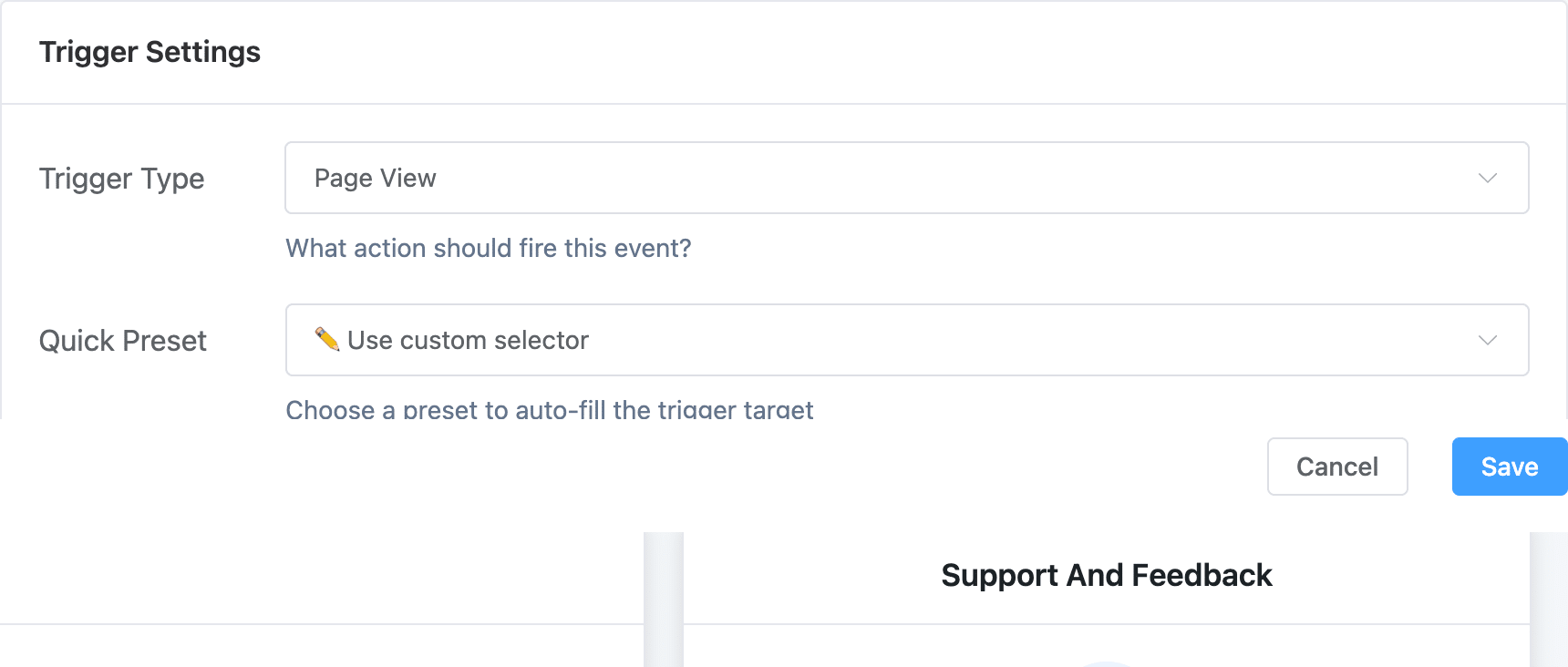
3. Trigger Settings #
- Trigger Type: Select “Page View”
- Quick Preset: Choose “Use custom selector”
- Trigger Target: Define page conditions
Page Targeting Examples:
/products/*(all product pages)/blog/category/wordpress/*(specific category)*?utm_source=email*(campaign pages)body.single-product(WooCommerce products)
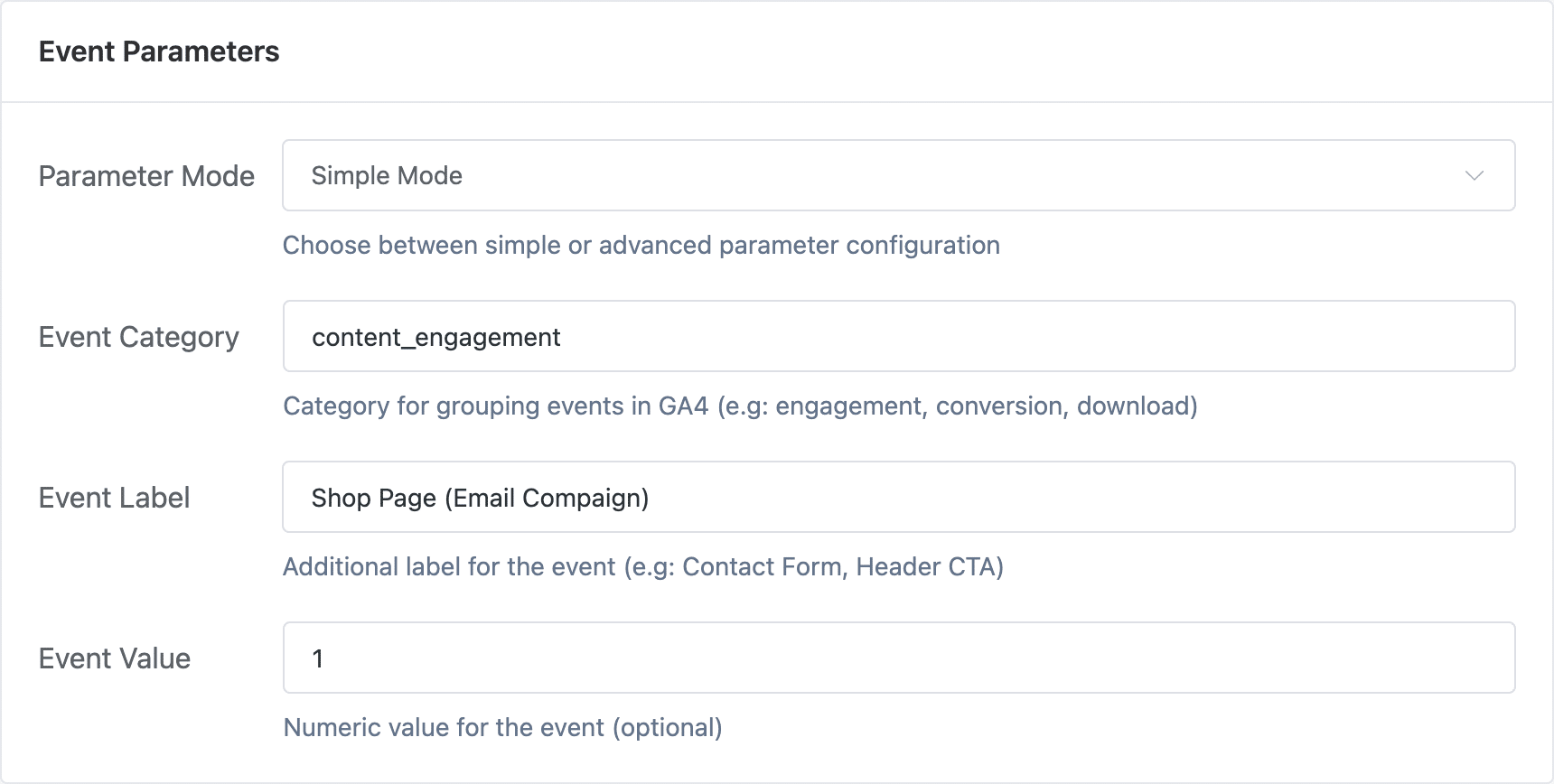
4. Event Parameters #
Simple Mode:
- Event Category:
content_engagementorproduct_view - Event Label: Page type description
- Event Value: Page importance value
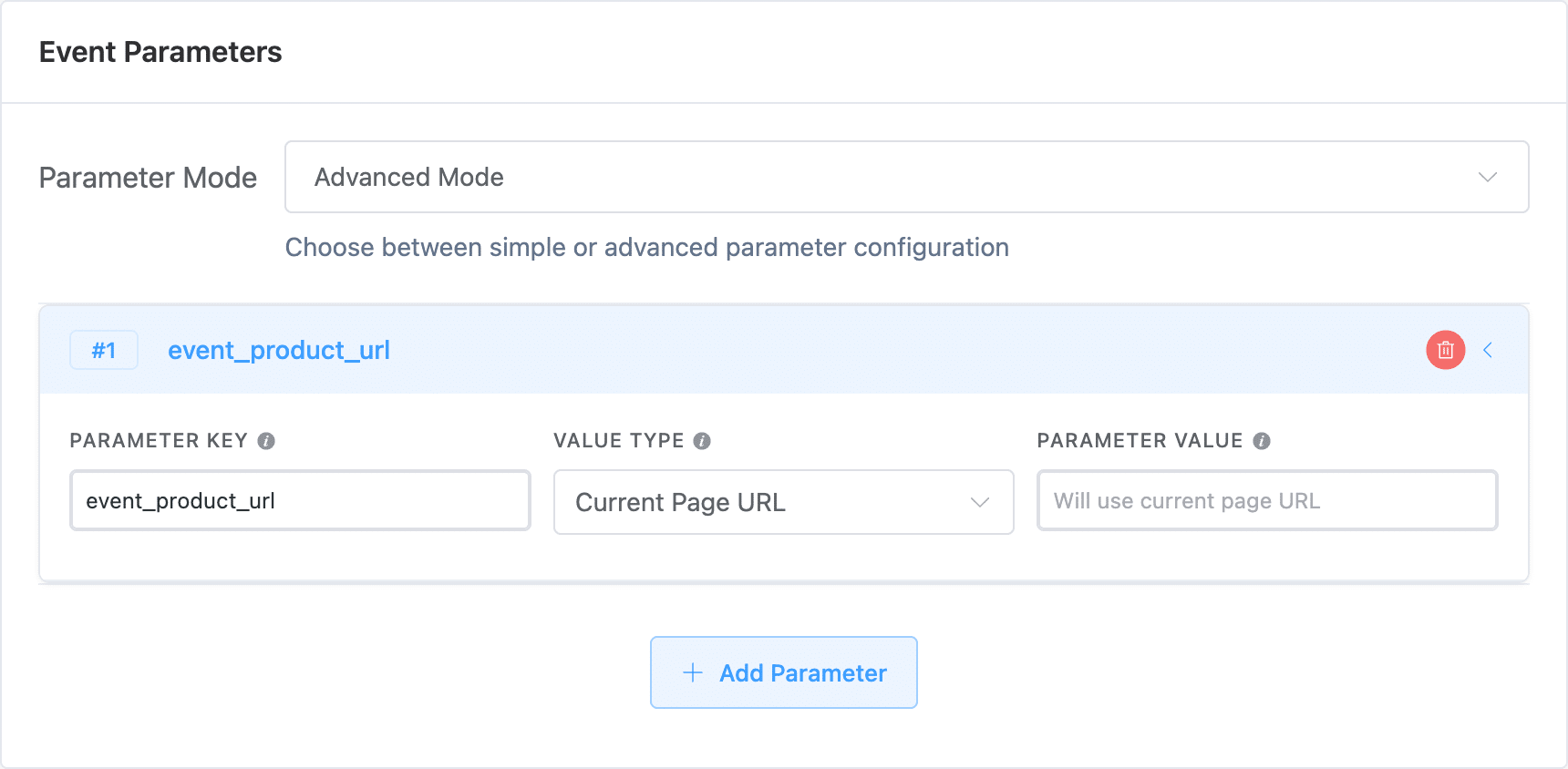
Advanced Mode Parameters:
- Static Text: Fixed text value
- File Name from Href: Extract filename from page URL
- Current Page URL: Full page URL
- Data Attribute: Custom page data attributes
Example Setups #
Track Premium Content:
- Event Name: Premium Content Views
- GA4 Event Name:
premium_content_view - Trigger Target:
/premium/*orbody.premium-content - Event Category:
content_engagement
Track Product Categories:
- Event Name: Electronics Category Views
- GA4 Event Name:
category_page_view - Trigger Target:
/category/electronics/* - Event Category:
product_discovery
Tips #
- Use URL patterns with wildcards (*) for broad matching
- Target specific body classes for precise tracking
- Don't duplicate standard page view events unless adding value
- Test targeting criteria with various URL structures
Common Use Cases #
- Premium/gated content tracking
- Product category performance
- Campaign landing page monitoring
- Content depth analysis
- User journey milestones


 OFF every WordPress plugin!