
GA4 Form submission tracking is essential for measuring lead generation and user engagement on your WordPress site. HT Easy GA4 makes it simple to track when visitors complete contact forms, newsletter signups, registration forms, or any other form submissions.
Step-by-Step Setup #
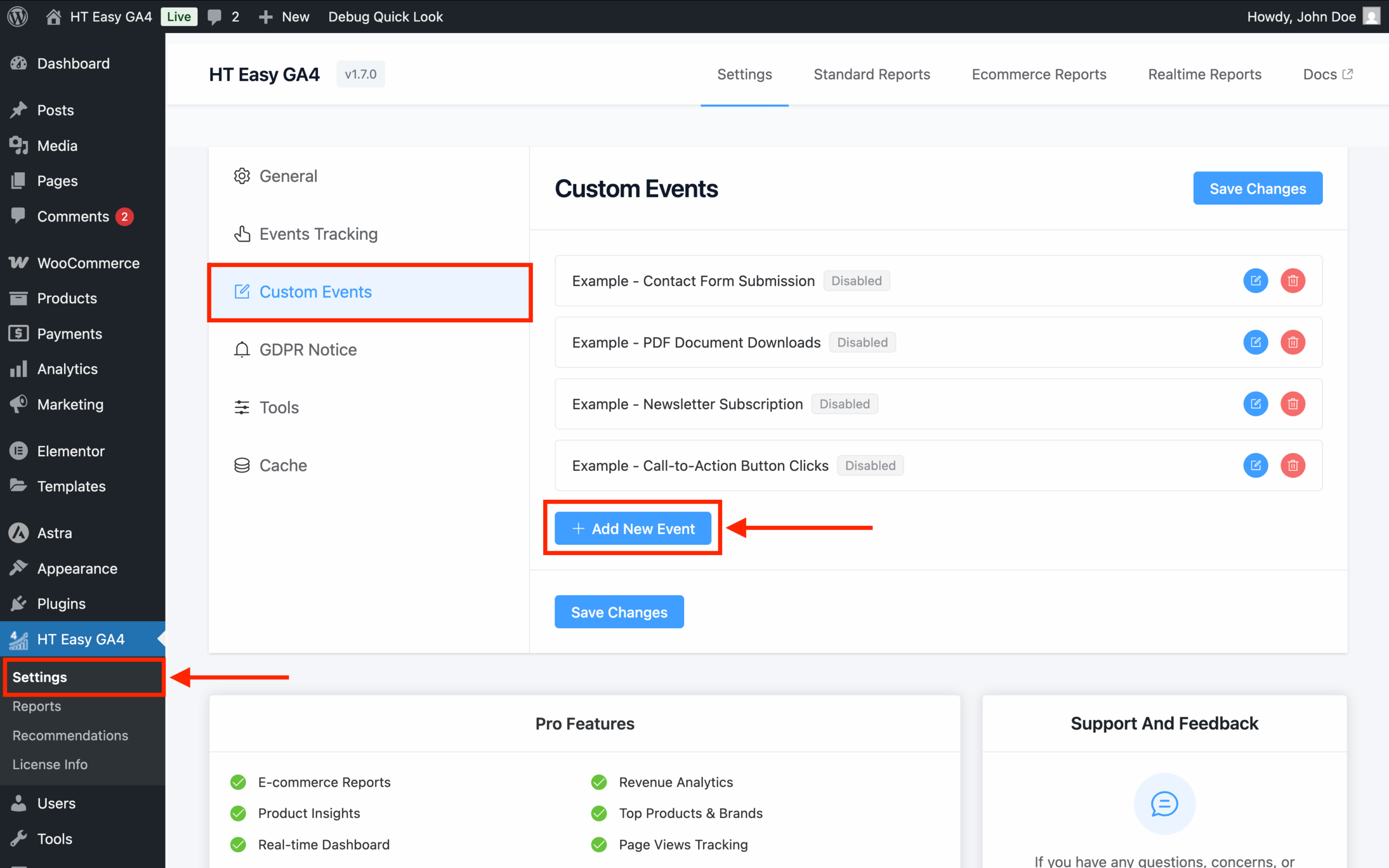
1. Access Custom Events #
- Go to WordPress Dashboard → HT Easy GA4 → Custom Events
- Click “Add New Event”
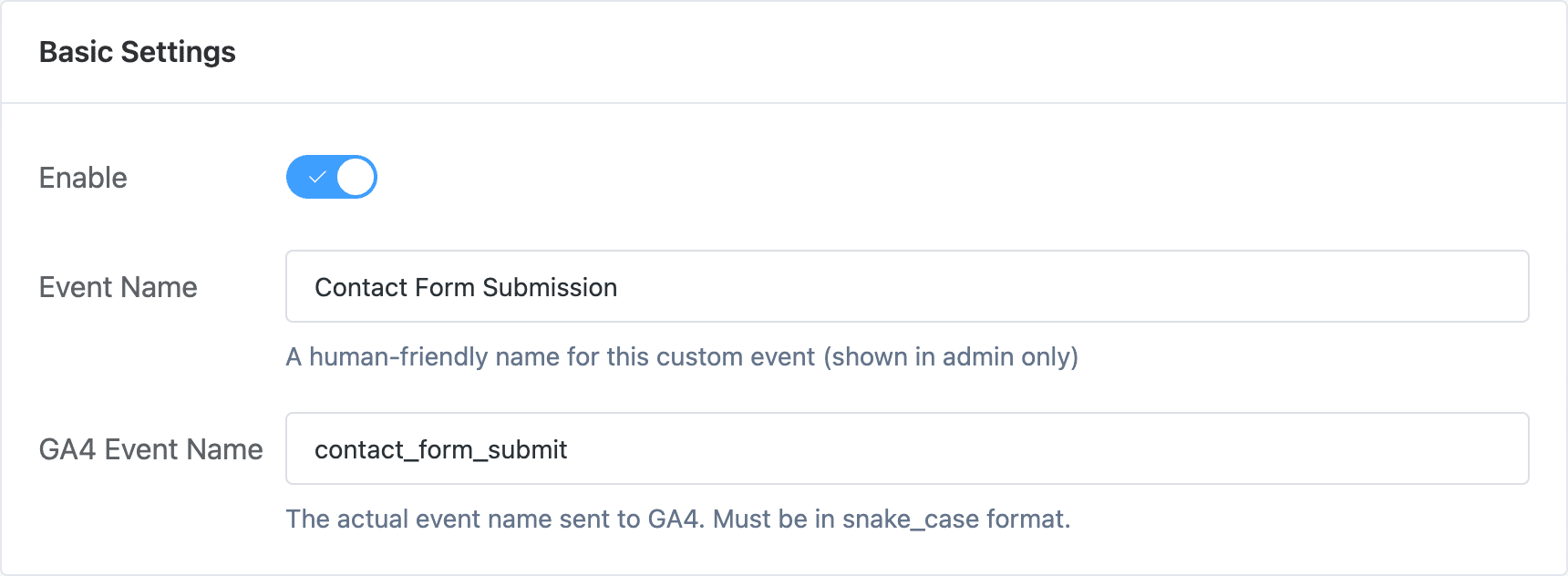
2. Basic Settings #
- Enable: Turn on the toggle
- Event Name: Descriptive name (e.g., “Contact Form Submission”)
- GA4 Event Name: Use snake_case format (e.g.,
contact_form_submit)
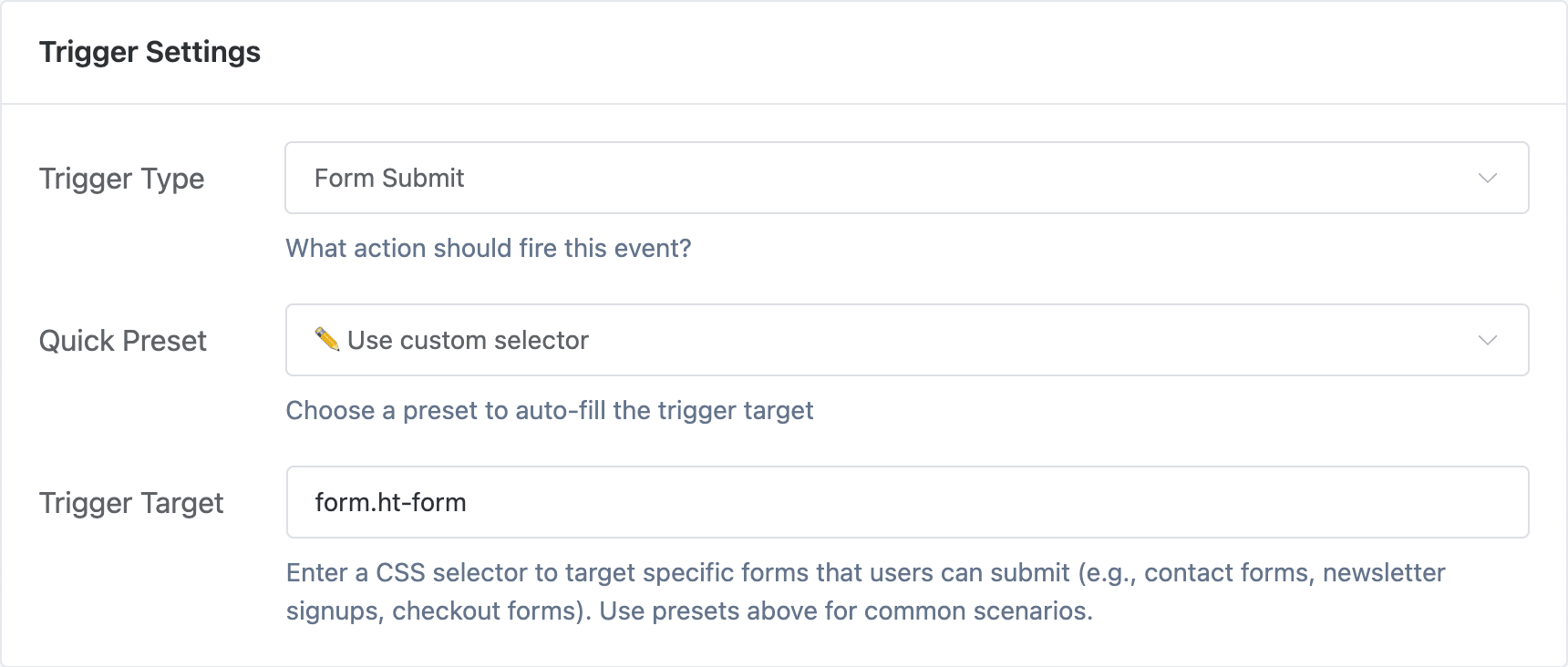
3. Trigger Settings #
- Trigger Type: Select “Form Submit”
- Quick Preset: Choose “Use custom selector”
- Trigger Target: Enter CSS selector for your form
Popular Form Plugin Selectors:
- Contact Form 7:
form.wpcf7-form.init - Gravity Forms:
form#gform_(ID)Form ID like#gform_1or#gform_2 - WPForms:
form#wpforms-form-(ID) Form ID likeform#wpforms-form-245orform#wpforms-form-12 - Ninja Forms:
.nf-form-layout form - Elementor Forms:
form#smb_form
4. Event Parameters #
Simple Mode:
- Event Category:
conversionorengagement - Event Label: Form description
- Event Value: Numeric value representing form importance
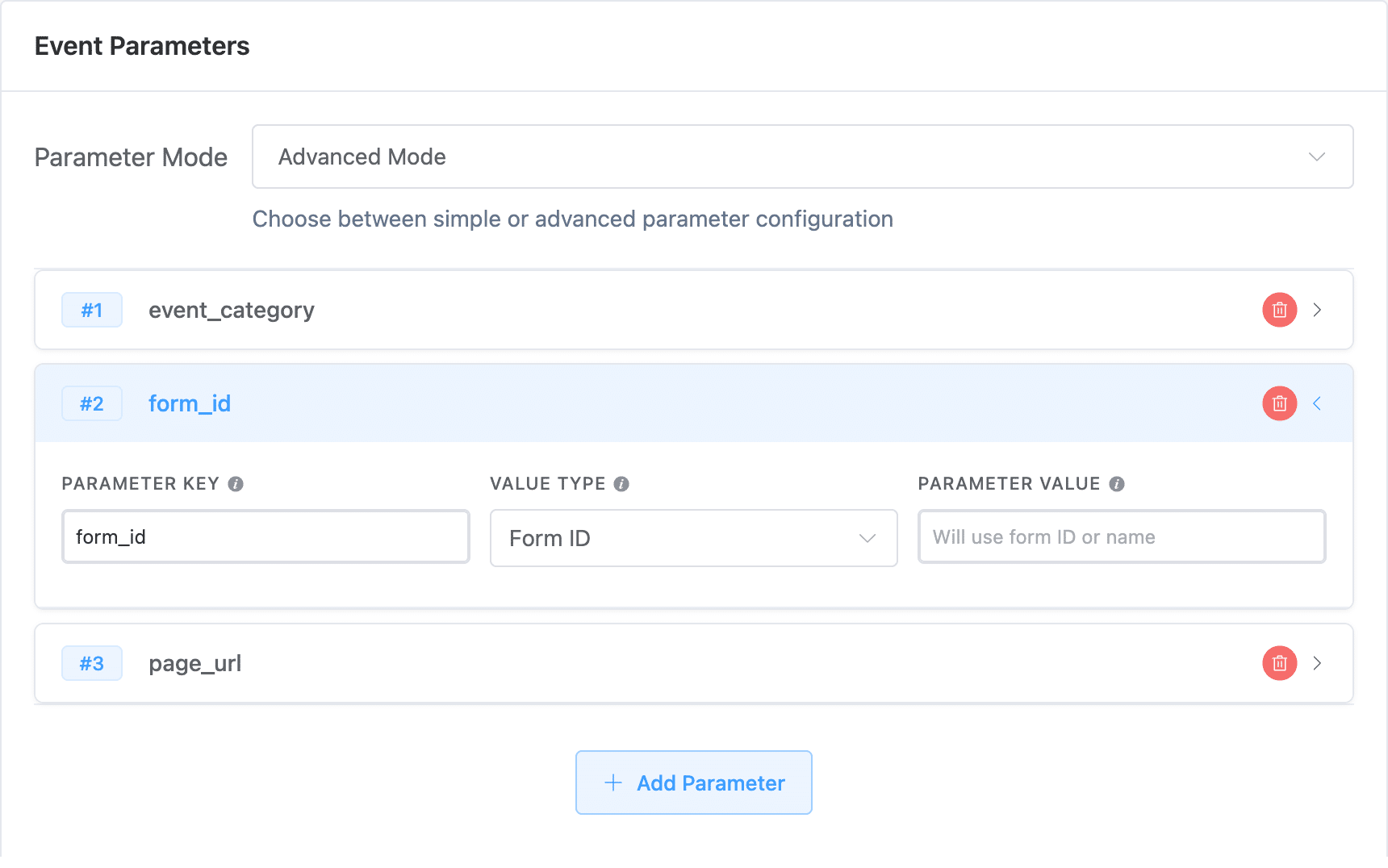
Advanced Mode Parameters:
- Static Text: Fixed text value
- Form ID: Unique form identifier
- Current Page URL: Page containing the form
- Closest Section: Nearest section element containing form
Example Setup #
Track Contact Form 7:
- Event Name: Contact Form Submission
- GA4 Event Name:
contact_form_submit - Trigger Target:
.wpcf7-form - Event Category:
conversion
Tips #
- Test form selectors to ensure they target the right forms
- Use specific selectors for individual forms rather than all forms
- Consider AJAX form submissions in modern plugins
- Verify events fire in GA4 Real-time reports
Troubleshooting #
- Check if form submits via AJAX (may need different approach)
- Verify CSS selector matches your form exactly
- Ensure event is enabled in settings
- Test with different browsers


 OFF every WordPress plugin!