
Designing an eye-catching and responsive slider with HT Slider is quick and hassle-free. Follow these steps to craft stunning sliders effortlessly.
Benefits of Creating a Slider with HT Slider Pro #
- 🔹 Easy to Use: No coding skills are required. Just drag and drop elements using Elementor.
- 🔹 Fully Customizable: You can add any content you want, including images, videos, and buttons.
- 🔹 Responsive Design: All sliders are mobile-friendly and look great on any device.
- 🔹 Quick Publishing: Create and publish sliders in just a few minutes.
- 🔹 Integration with Elementor: Seamless integration with Elementor gives you advanced design flexibility.
Step 1: Navigate to the Slider Section #
- Go to your WordPress Dashboard.
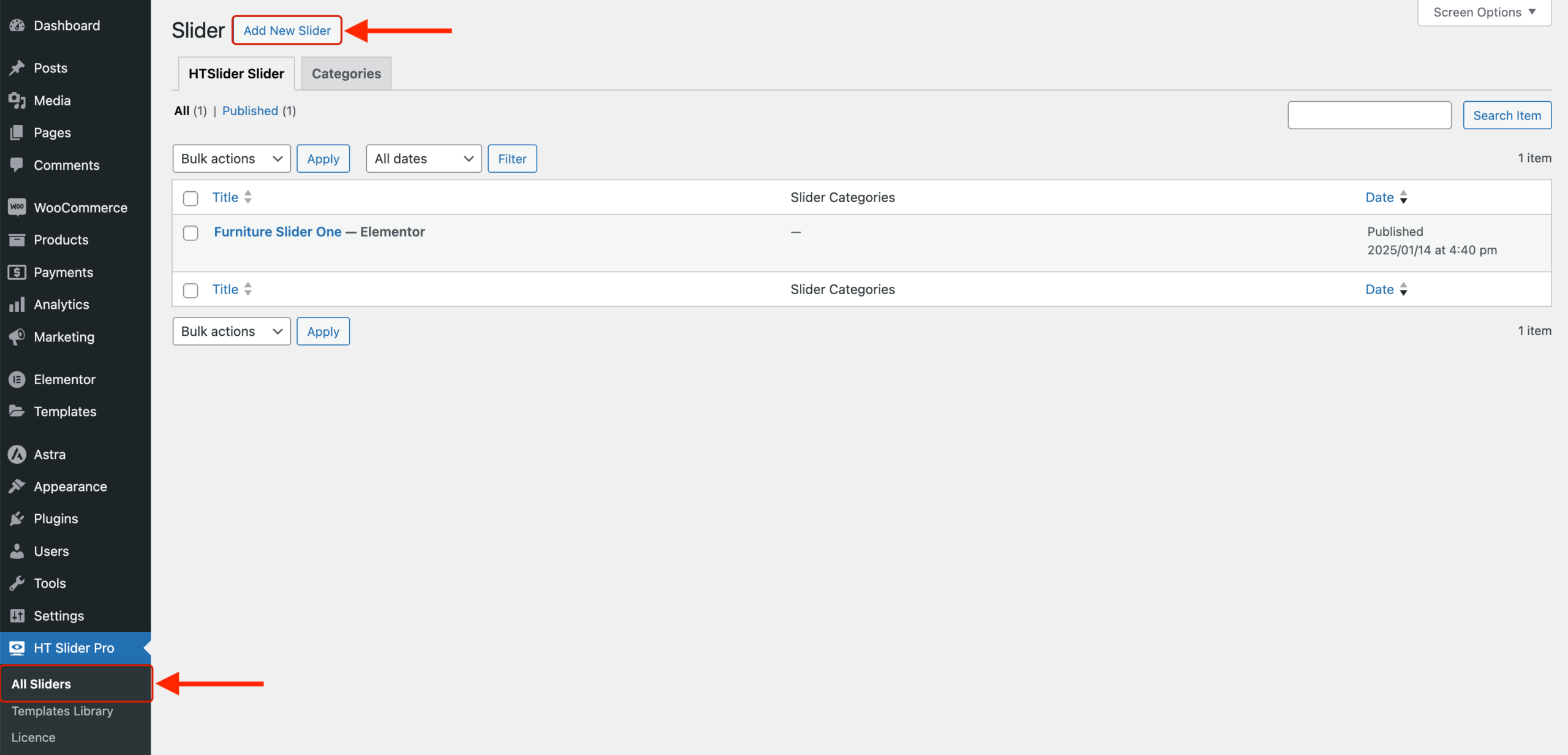
- From the left-hand menu, click on HT Slider Pro > All Sliders.
- Click the Add New Slider button.
Step 2: Add a Title to the Slider #
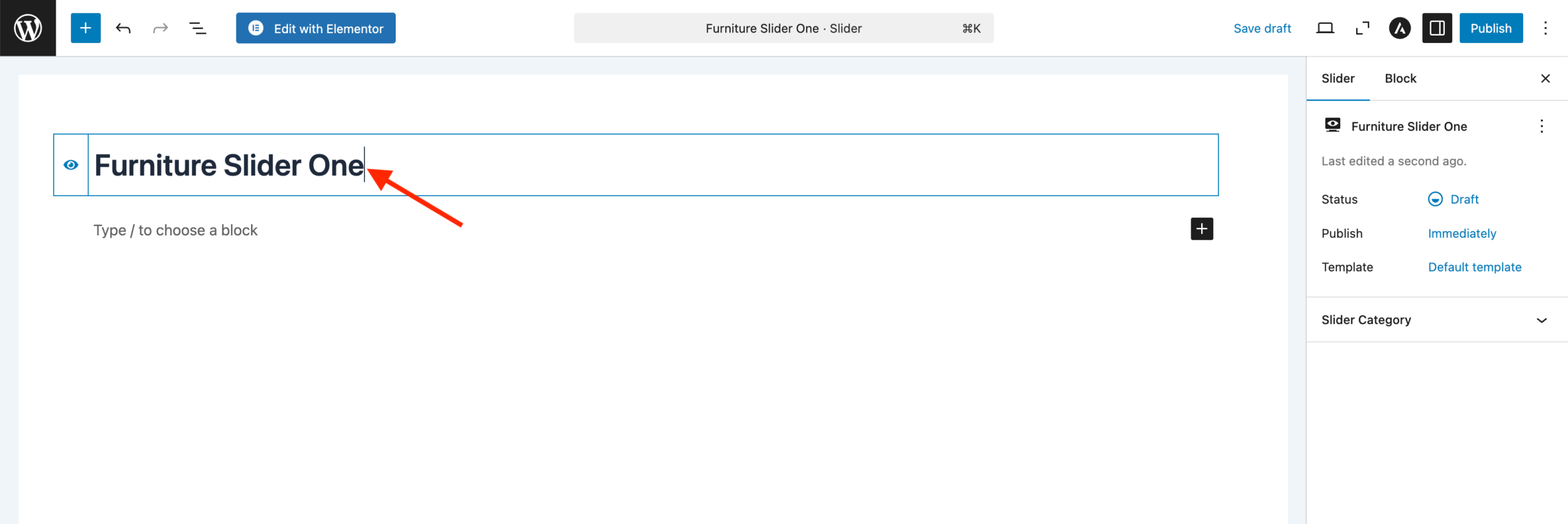
- Give your new slider a relevant title. For example, if your slider is for furniture products, you can name it Furniture Slider Two.
- Click the Edit with Elementor button.
Step 3: Customize the Slider Content #
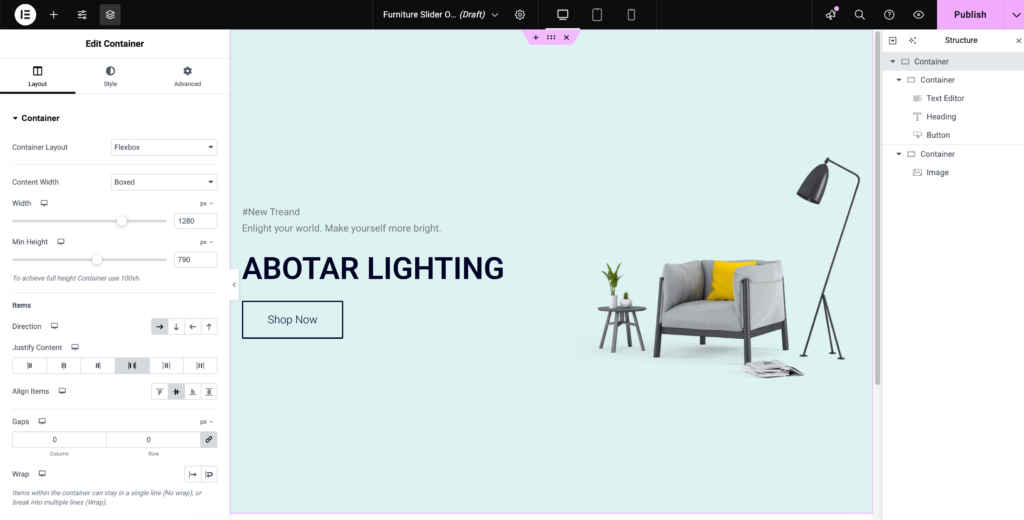
- The Elementor editor will open, allowing you to design your slider.
- Use the available widgets in Elementor to add headings, images, buttons, and other content to your slider.
- Customize the layout, colors, and typography according to your design preferences.
Step 4: Publish the Slider #
- Once you're satisfied with your slider design, click the Publish button.
- Your slider is now ready and published!
Frequently Asked Questions (FAQ) #
Can I create multiple sliders?
Yes, you can create as many sliders as you want.
How do I display the slider on my website?
After creating a slider, you can display it by using the shortcode provided in the slider list. Simply copy the shortcode and paste it into the page or post where you want the slider to appear.
Is HT Slider Pro compatible with all themes?
Yes, HT Slider Pro is designed to work seamlessly with most WordPress themes.
Can I use other page builders?
Currently, HT Slider Pro works best with Elementor for full customization.
By following these steps, you'll be able to create engaging sliders that enhance your website's look and feel!


 OFF every WordPress plugin!