
The GDPR Notice feature in the HT Easy GA4 plugin allows you to control whether and how Google Analytics tracking is initiated based on user consent. This section provides a detailed explanation of each available option within the GDPR Notice settings panel.
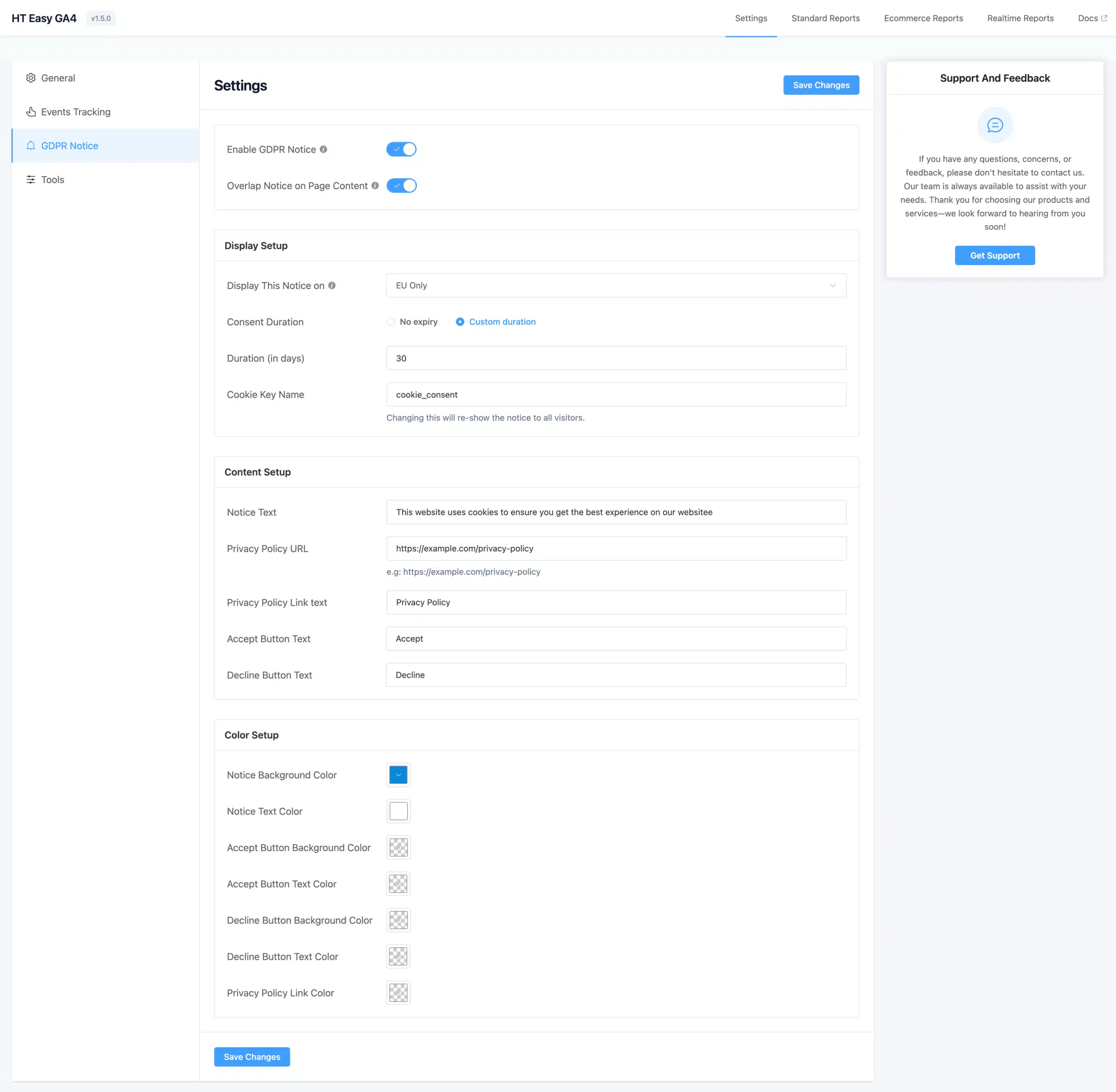
Enable or Disable GDPR Notice #
You can quickly toggle the entire cookie consent system on or off from the plugin settings.
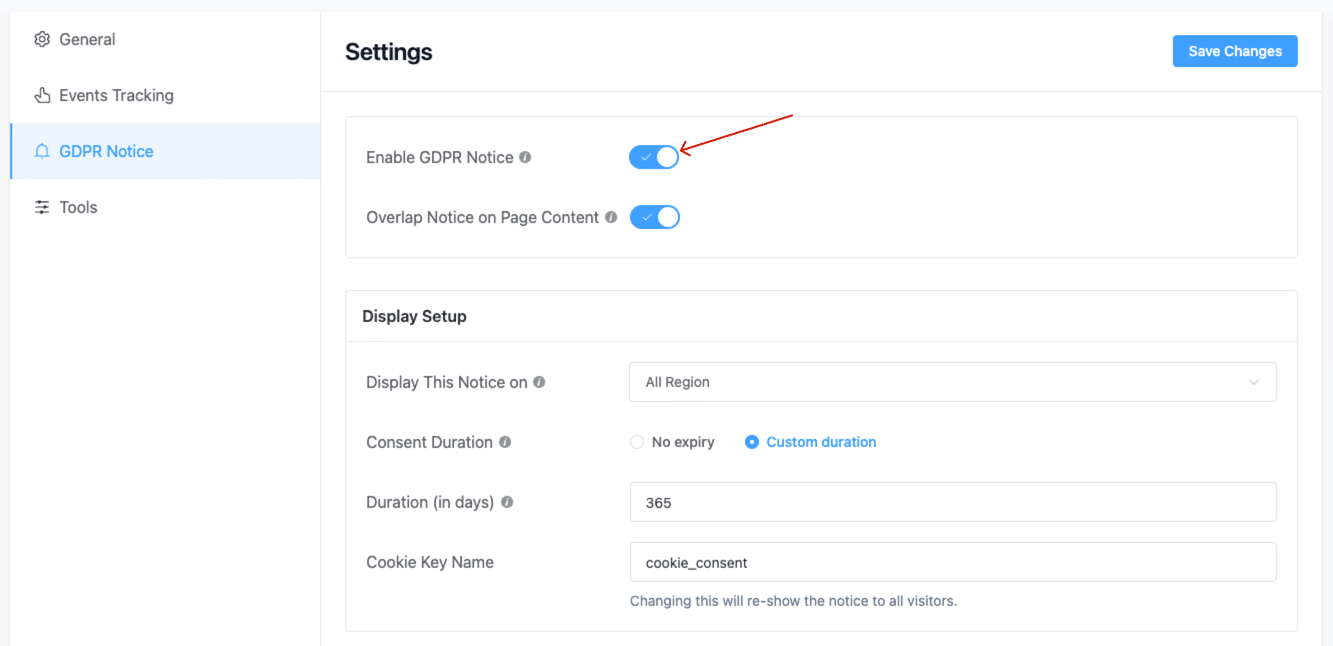
- Enabled: The consent notice will appear on your website.
- Disabled: The notice will be hidden, and Google Analytics will load normally and tracking will be active.
Overlap Notice on Page Content #
This setting controls whether the notice overlaps your website content or pushes it downward to make space.
- Checked: The notice overlays your page content.
- Unchecked: The notice pushes the page content upward for a non-intrusive layout.
Target Specific Users #
Control who will see the consent popup:
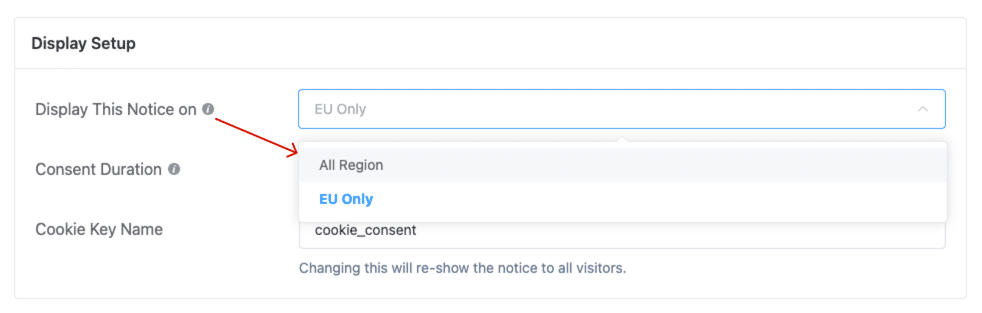
- EU Only: The notice will only be displayed for visitors from the European Union.
- All Users: The notice will be shown to everyone, regardless of location.
When “EU Only” is selected, users from non-EU regions will be tracked without interruption.
Consent Duration Options #
You can decide how long a user's consent choice should be remembered:
- No Expiry: The consent cookie never expires unless manually cleared by the user.
- Custom Duration: The consent cookie will expire after a set number of days, prompting the user to reconfirm consent.
Duration (in Days) #
When using Custom Duration, enter the number of days the consent will remain valid.
Cookie Key Name #
Set a custom cookie key name for storing consent status. This is useful if you want to reset consent for all users—changing the cookie key name will force all visitors to see the consent popup again.
Content Setup #
Customize the content displayed in the consent banner:
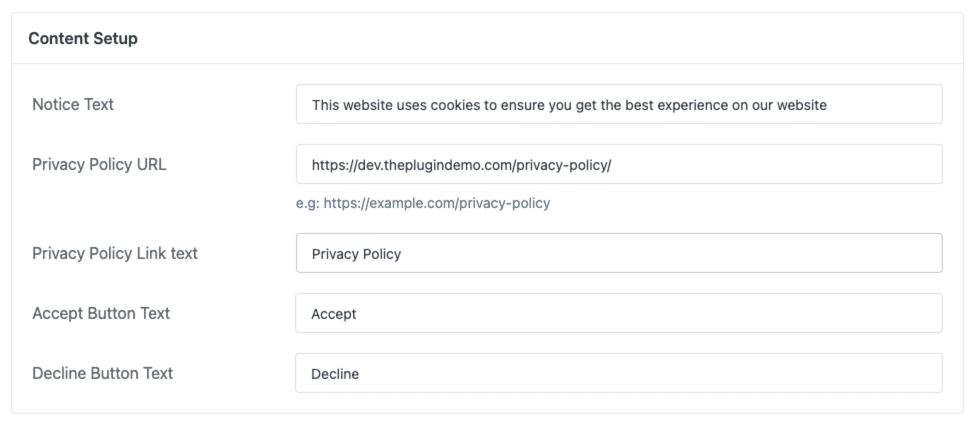
- Notice Text: The message shown to inform users about tracking.
- Privacy Policy URL: Link to your privacy or cookie policy.
- Privacy Policy Link Text: Text label for the privacy policy link.
- Accept Button Text: Label for the button that allows tracking.
- Decline Button Text: Label for the button that denies tracking (optional).
Color Setup #
Match the appearance of the GDPR notice with your website design by customizing the following elements:
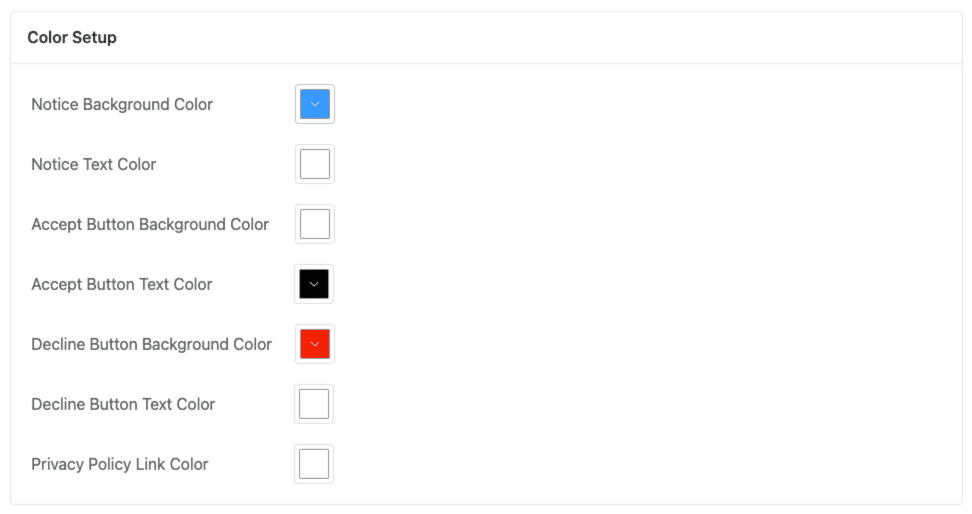
- Notice Background Color
- Notice Text Color
- Accept Button Background Color
- Accept Button Text Color
- Decline Button Background Color
- Decline Button Text Color
- Privacy Policy Link Color
Summary #
The GDPR Notice feature in HT Easy GA4 ensures your website stays compliant with privacy regulations by offering full control over how and when tracking is allowed. It’s flexible, easy to configure, and designed to blend seamlessly with your site’s branding.


 OFF every WordPress plugin!